
Photo Enhancer vs Upscaler: Which One Does Your Photo Actually Need?
They sound like the same thing and they solve different problems. How to tell which one your photo needs, why the order matters, and what happens when you get it backwards.
 EnhanceIT
PRO
EnhanceIT
PRO
📚 Complete Guide: The Complete Guide to AI Photo Enhancement in 2026
How do you enhance a pixelated photo in Photoshop? It is a common question asked by everyone and in this guide, you will be going through this process where you will learn how to enhance photo quality in Photoshop.
Try it yourself!
Use our free AI Image Enhancer tool – no signup required.
[
Try AI Image Enhancer Free →
](https://enhanceit.pro/)
Image resolution means how much quality a tool holds, measured by pixels, and the number of pixels on a screen, called image or video resolution. The higher the number of resolution pixels, the higher the image quality.
A normal image is approxe 72 Dpi (dot per inch) which varies for some image formats JPG (JPEG) is 72 for the web and 300 dpi for print as far PNG, Webp, GIF, BMP, SVG, and HEIF. The high resolution of an image format truly matters.
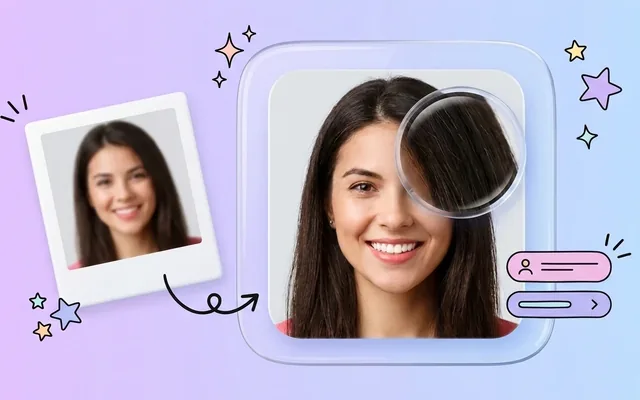
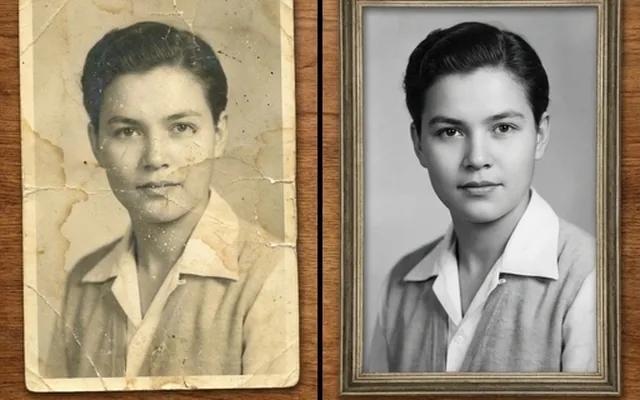
Here’s a question that arises, is it possible to increase image quality? So the answer is yes you can do it in multiple ways like by Photoshop, Photo enhancer Software, Online photo enhancers, and EnhanceIT PRO photo enhancer.
Key Steps to do that:
First import an image you want to edit, to do so click on files then open it and select the image you wish to edit or you can drag and drop that image you want to edit.
Every photographer uses to enhance their image color to enhance the image. Correcting color adds quality to your image and to create a dynamic color you can use Photoshop’s color balance tool.
Steps to Apply Color Balance to Your Image
Getting the right light while shooting is difficult for every photographer. Because of this, some photos may look dark and some look light. To adjust this problem we use Photoshop brightness or light settings. Increasing contrast in your image makes it a little hard and enhances colors and decreasing can be caused for black and white images.
There is no hard and fast rule for brightness but make sure to adjust it according to your image light as increasing can cause more light in the image and decreasing make your image dark so you have to adjust it on your own.
Steps to Adjust Brightness and Contrast
Little blur or lack of sharpness makes your overall image quality dull. The solution is to use the Photoshop Sharpening tool. This makes your image deblur and corrects overall lens distortion. Sharpness makes your image sharper too, it may be a bit hard to see the details normally.
Steps to Sharpen Your Image
Noise can be caused by pixelated images. It can be due to color distortion or Luminosity distortion. Color noise appears when color is distorted and luminosity occurs when the grain is seen on your image.
Steps to Remove Noise From Images
After accomplishing all these things you will get a unique look of your image which is improved and beautiful. In this way, you can enhance blurry photos in Photoshop.
In this age, everyone wants their images in high quality form and if your images are dull and low quality it looks pixelated and blurry. To prevent this type of thing you can use Photoshop to enhance your image in easy steps and create an image that stands out over social media.
Image Enlargement and resolution improvement both are separate things. It is a process of increasing image dimensions and overall physical size. On the other hand, resolution enhancement means increasing images visual.
Here are the top 10 best online photo enhancer tools:
By using these tools you can enhance your images in easy steps and all your other work will be done by AI.
Here are some simple and easy tips for increasing image resolution:
By applying these tips you can enhance and maintain your image resolution effectively.
How to enhance an image in Photoshop?
Repeat after me:
Does upscaling increase resolution?
Yes, Upscaling can increase your image resolution.
How do I fix low quality in Photoshop?
By adjusting the size and up sample you can fix low quality in Photoshop.
Can we convert a normal photo to HD?
For this purpose, you can use the EnhanceIT PRO photo enhancer tool. It enhances your image up to 4k.
📖 More in Photo Enhancement & Quality
They sound like the same thing and they solve different problems. How to tell which one your photo needs, why the order matters, and what happens when you get it backwards.
Remini popularised AI photo restoration and then put most of it behind a subscription. Seven alternatives compared on what they actually do well, what they charge, and where each one falls down.
Resizing and upscaling are not the same thing. What actually happens when you enlarge a photo, how far you can push it honestly, and where AI reconstruction stops being recovery and starts being invention.
What 'HD' actually means in pixels, how far a low-resolution photo can honestly be pushed, and the free route from a small blurry picture to something you can print or publish.