
Turn a Photo Into a Pencil Sketch
Not a filter that finds edges and inverts them. The AI redraws the photo the way an artist would — weighting the lines, leaving highlights as bare paper, and shading with strokes that follow the form. Portraits keep the likeness, which is where edge-detection filters fall apart.
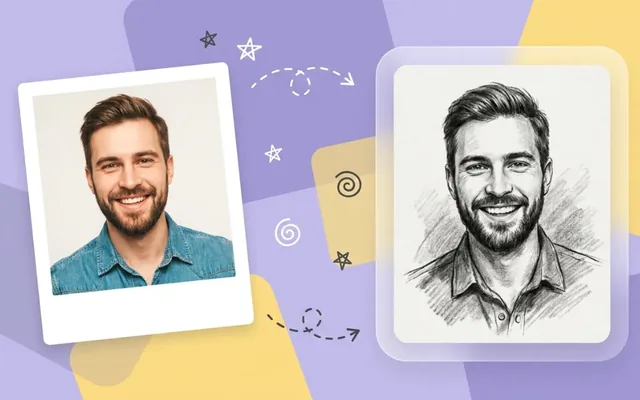
What people use it for
Portrait gifts
A pencil portrait from a photograph, which is a commission that would otherwise take an artist days.
Tattoo reference
Clean line art is much easier for an artist to work from than a photograph.
Architectural drawings
Buildings sketch well — the strong lines are already there and the style suits them.
Colouring pages
Line-art output of a familiar photograph, which is a genuinely good children's activity.
Getting the best result
- Directional light gives the model real shadows to shade with. Flat, even light produces a flat, even sketch.
- Crop in. A distant subject becomes a sketch of a small distant subject.
- Pick the medium deliberately: line art for tattoo reference and printing, charcoal for contrast, pencil for portraits.
- For a framed print, generate then upscale — sketch line work survives upscaling particularly well.
You might also like
Frequently asked questions
What kind of photo works best?
Good light and a clear subject. Directional light gives the AI real shadows to draw with; a flat, evenly lit snapshot has less to work from. Busy backgrounds compete with the subject, so crop in first if you can.
Can I get charcoal or ink instead of pencil?
Yes — pencil, charcoal, ink line art and cross-hatching are all available. Charcoal gives the heaviest contrast, line art the cleanest result for printing or tattoo reference.
Does it work on group photos?
It does, though the more faces in frame the less detail each one gets. For a portrait you intend to frame or print, one or two people gives noticeably better results.