
AI Image Generation Models
The models behind the generator, what each one is actually good at, and how to pick between them instead of running the same prompt through all of them.

Every image generator here is a different model with different training, different strengths and a different failure mode. The marketing for all of them says "photorealistic, high quality, fast", which tells you nothing about which one to reach for. This directory is the practical version.
The short guidance: reach for a Flux model when you want photographic realism and reliable prompt-following, a Qwen model when the image needs readable text or a layered edit, and a fast model when you are exploring and expect to throw the first twenty results away. Then read the individual page for whatever you are about to spend credits on.
Choosing between them
Photographic realism
The Flux family leads here — skin, fabric and natural light hold up under scrutiny. Pro variants are worth the extra cost when the result is going in front of a customer.
Text inside the image
The historic weakness of image models. The Qwen models are markedly better at rendering short, legible words, which matters for posters, packaging mockups and anything with a sign in frame.
Speed and iteration
Schnell and Flex variants trade some fidelity for a large speed gain. The correct model for finding a composition; the wrong one for the final render.
Editing an existing image
Edit-tuned models take an image plus an instruction, rather than a prompt alone. Use these when you need one thing changed and everything else preserved.
Following a complex prompt
Long prompts with several constraints — subject, setting, lighting, style, exclusions — separate the models sharply. The larger models hold more of the instruction; the fast ones drop clauses.
Reference images
Some models accept reference inputs for style or character consistency. That is the difference between one good image and a coherent set.
Getting more from any of them
- Explore on a fast model, render on a good one. Finding the composition is a different job from producing the final file, and paying premium rates to discover you wanted a different angle is waste.
- Front-load the subject. Every model weights the start of a prompt most heavily; the crucial noun belongs in the first few words.
- Describe lighting explicitly. It is the single change that most reliably moves output from obviously-generated towards photographic.
- Generate at the aspect ratio you need rather than cropping later — cropping throws away both pixels and the composition the model built for the frame.
- Generate at the model's native resolution, then upscale. It beats asking for an enormous image directly, on almost every model here.
All tools
 HOT
HOT
Image Enhancer
Instantly improve image quality.
1 credits · Free 4K
4K
Image Upscaler
Upscale images up to 4K resolution.
1 credits · Free
Image Sharpener
Fix blurry and out-of-focus photos.
1 credits · Free
Text Clarifier
Make blurry text in photos and scans readable.
7 credits · Free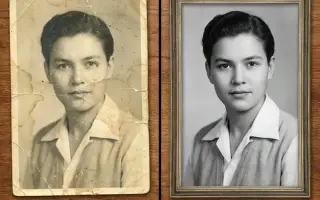
Photo Restore
Repair tears, creases, stains and fading in old photos.
2 credits · Free
AI Face Enhancer
Sharpen and restore faces in blurry or low-resolution photos.
1 credits · Free
AI Anime Enhancer
Enhance and upscale anime images.
1 credits · Free HOT
HOT
Background Remover
Remove backgrounds automatically.
1 credits · FreeFrequently asked questions
Which model should I start with?
A Flux Pro variant for photographic work and a Qwen model when the image needs legible text. Those two cover most requests. Move to a specialist only when you hit their specific limits.
Why do models cost different amounts of credits?
Compute. A larger model producing a 4-megapixel image occupies far more GPU time than a fast model producing one megapixel, and the credit cost reflects what the run actually costs to serve. Each tool shows its cost before you run it.
Can I use the same prompt across models?
You can, and comparing is a useful exercise, but do not expect the same result. Models differ in how they weight prompt order, how literally they read style words, and how they handle negation — a prompt tuned for one is rarely optimal on another.
Do these models change?
Providers update them. Every tool here pins a specific model version where one is available, so a run today matches a run last month. Unpinned tools are flagged in the admin, because silent model changes are how output quality drifts without anyone noticing.