
AI Image Upscaler
Enlarge your images by 2x or 4x without losing quality using our free AI image upscaler. Get sharper photos with improved resolution and fine detail.
What people use it for
Printing
A 1000px image prints acceptably at postcard size and no larger. Upscaling to 4000px is what makes an A3 print possible from a web-sized source.
Marketplace listings
Amazon requires 1600px on the longest side to enable zoom. Most supplier catalogue images arrive at half that.
Old digital archives
Photos from 3- and 6-megapixel cameras look small on any modern screen. Upscaling makes them usable again.
Crops
Cropping to a detail throws away resolution. Upscaling afterwards is what makes an aggressive crop deliverable.
Getting the best result
- 2x is safe for anything. 4x holds up for landscape and texture. Past that you are rendering rather than enlarging.
- Upscale last. Do colour, cropping and cleanup first, so the model works from the image you actually want.
- Check text and faces at 100%. Those are where an upscaler guesses most confidently and most wrongly.
- For print, work back from size: 300 DPI at A3 is about 3500 × 4900 pixels. Upscale to that, not to a round multiple.
You might also like
 HOT
HOT
Image Enhancer
Instantly improve image quality.
1 credits · Free
Image Sharpener
Fix blurry and out-of-focus photos.
1 credits · Free
Text Clarifier
Make blurry text in photos and scans readable.
7 credits · Free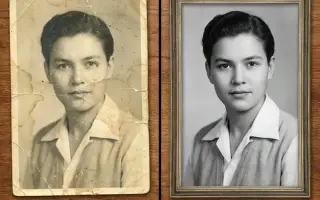
Photo Restore
Repair tears, creases, stains and fading in old photos.
2 credits · FreeFrequently asked questions
How is this different from resizing?
Resizing interpolates — it averages neighbouring pixels, which is why an enlarged photo looks soft. Upscaling reconstructs plausible detail from a model trained on millions of real images, so fabric weave and foliage come back as texture rather than mush.
How far can I upscale?
Up to 8K output. Whether you should is a different question: 2x is reliable on any subject, 4x is reliable on texture-heavy subjects, and beyond that the output is increasingly the model's idea of the image rather than the image.
Does it work on text and screenshots?
Screenshots of large type, yes. Small body text and numbers are the hardest case for any upscaler — a wrong character rendered sharply is worse than a blurred one, so verify anything you intend to read.