
AI Image Tools for Marketing Teams
Produce social, display and email creative at the volume a testing calendar demands — without a design queue for every resize and every variant.

Marketing does not have a creative problem so much as a throughput problem. The idea takes an afternoon; producing it at eleven aspect ratios for six placements, then producing three variants of each because you are testing, is what actually eats the week. And every one of those exports goes through a designer whose queue is already full of the campaign after next.
These tools are aimed squarely at that middle stretch — the mechanical production between an approved concept and a live ad.
How it works
-
1
Generate the base asset
Backgrounds, textures, abstract hero images and product settings from a text prompt. Useful when stock libraries all return the same forty photographs your competitors are also using.
-
2
Cut and recompose
Background removal on product and people shots gives you elements that drop onto any layout. One cut-out serves the square, the story and the leaderboard.
-
3
Scale for placement
Upscale to whatever the platform demands. Display networks reject soft creative, and a 1080px asset stretched to a billboard placement is the most common reason an ad gets disapproved on quality.
Common jobs
Social variants
One concept, rendered for feed, story, reel cover and carousel. The generator and the editor between them cover the reshoots that resizing usually forces.
Ad testing
Testing needs volume — five backgrounds against the same product, three colourways, two moods. Generating those is minutes; briefing them is days.
Email headers
Inbox rendering punishes heavy images, but it also punishes soft ones on retina displays. Generate at the right ratio, upscale, export lean.
Event and webinar graphics
The poster generator handles the recurring internal request — a title, a date, a speaker photo — that otherwise interrupts someone doing more valuable work.
Blog and article imagery
Every post needs a header nobody has budgeted for. Generating one on-brand is faster than the fourth page of a stock search.
Rescuing supplied assets
Client and partner logos arrive as 300px JPEGs pulled off a website. Upscaling and sharpening makes them usable rather than sending an email and waiting three days.
Keeping output on-brand
- Write your palette and lighting into the prompt and keep that fragment identical across a campaign. Consistency comes from reusing the wording, not from regenerating until something matches.
- Generate at the aspect ratio you need. Generating square and cropping to 16:9 throws away a third of the pixels and usually the composition with them.
- Keep the un-flattened cut-out of every product and person. It is the asset you will reuse most, and it is the one nobody thinks to save.
- Let AI do the background and a designer do the type. Text rendered inside a generated image is the fastest way to make creative look cheap.
- Check generated imagery for accidental resemblance to real brands or people before it goes live. It is rare, but it is a legal problem rather than an aesthetic one.
All tools
 HOT
HOT
Image Enhancer
Instantly improve image quality.
1 credits · Free 4K
4K
Image Upscaler
Upscale images up to 4K resolution.
1 credits · Free
Image Sharpener
Fix blurry and out-of-focus photos.
1 credits · Free
Text Clarifier
Make blurry text in photos and scans readable.
7 credits · Free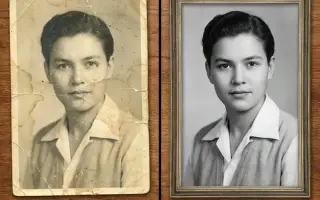
Photo Restore
Repair tears, creases, stains and fading in old photos.
2 credits · Free
AI Face Enhancer
Sharpen and restore faces in blurry or low-resolution photos.
1 credits · Free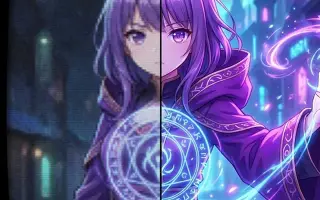
AI Anime Enhancer
Enhance and upscale anime images.
1 credits · Free HOT
HOT
Background Remover
Remove backgrounds automatically.
1 credits · FreeThe bottleneck this does and does not move
Production throughput goes up sharply. What does not change is the approval loop, the brief quality, or whether the concept was any good — and those are usually the real reason a campaign ships late.
The teams that get the most out of this are the ones already testing seriously, because volume only pays when something downstream is measuring which variant won.
Frequently asked questions
Can we use generated images in paid advertising?
Yes on a paid plan, which removes the watermark and permits commercial use. Some ad platforms additionally require AI-generated creative to be disclosed in certain categories — political, financial and health advertising most commonly. Check the platform's current policy, since these rules are moving quickly.
How do we keep a consistent look across a campaign?
Fix the style clause in your prompt and change only the subject. "Shot on 50mm, soft north light, muted earth palette, shallow depth of field" reused verbatim across twelve prompts produces a set; rewriting the style each time produces twelve unrelated images.
Is this a replacement for our designer?
No, and treating it as one shows in the output. It removes the mechanical production work — resizing, cutting out, generating a background for the fifth variant — so design time goes to the parts that need judgement.
What about brand assets we already have?
Upscaling and sharpening are the useful tools there. Generation is for imagery you do not have; it should never be used to approximate a logo or a brand asset that exists in a proper format somewhere.