
Colorize Black and White Photos
Bring black-and-white photos to life with AI. Upload any old or greyscale image and get natural, realistic colour in seconds. Free to try, no signup needed.
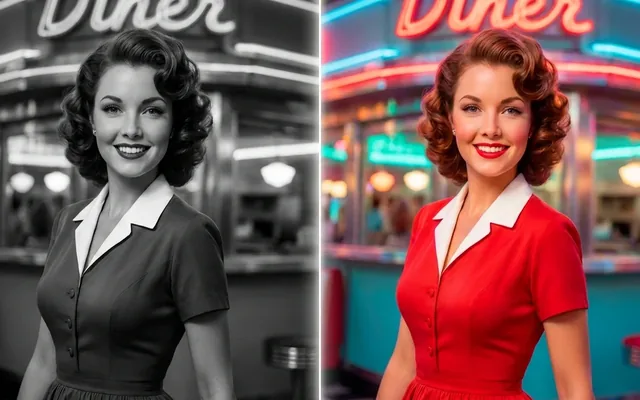
Black and white photos hold the moments; colour holds the life. An AI photo colorizer reads a monochrome image the way a person who was there would — recognising skin, sky, foliage, fabric, brick — and paints each with the colour it most plausibly had, at the pixel level, in seconds.
This is not the tinted-postcard trick of the past. The model behind EnhanceIT PRO's colorizer was trained on millions of photographs, so it has seen how afternoon light sits on a cotton dress, how oak differs from pine, how skin tones vary across a family portrait. It applies that knowledge to your photo and returns something that looks captured in colour, not painted over.
Upload a scan of a family print, a wartime photograph, an old newspaper image or a film negative's contact sheet — the colorizer works on anything monochrome, including sepia and faded prints, and your first runs are covered by the free credits every account starts with.
How it works
-
1
Upload the black and white photo
JPEG, PNG, WebP or HEIC up to 10 MB. Scans of prints work brilliantly — flatten the photo, avoid glare, and scan at 300 DPI or better if you can.
-
2
Let the AI read the scene
The model segments the image — faces, clothing, sky, ground, objects — and assigns each region the colours its training says belong there, blended at the edges the way real light blends.
-
3
Compare and download
A before/after slider shows exactly what changed. Download with our watermark free, or take any plan for the clean full-resolution file.
What people colorize
Family archives
Grandparents' wedding photos, childhood portraits, the box of prints nobody has looked at in years. Colour turns names in an album into people in a room.
Historical photographs
Wartime service photos, immigration documents, street scenes from a century ago. Colour collapses the distance between then and now.
Restored photos, finished
Colorization pairs naturally with photo restoration — repair the damage first, then colorize the clean result. Both live here and share your credits.
Creative reinterpretation
Photographers shooting digital monochrome sometimes colorize selectively for effect — the model gives a realistic base grade to work from.
Getting the best colorization
- Scan prints rather than photographing them — a phone photo of a glossy print adds glare and skew the colorizer has to fight through.
- Fix tears, spots and fading with the photo restorer before colorizing; colour applied over damage highlights the damage.
- Sepia and yellowed prints colorize fine — the model reads tone, not just grey.
- Faces are the model's strongest suit: expect convincing skin, hair and eye colour even on small faces in group shots.
- If a specific object's colour matters historically — a uniform, a flag, a car — check it against records; the AI predicts the plausible, not the documented.
You might also like

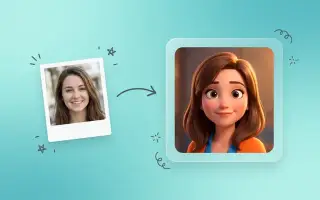

From memory to moment
The strange thing about colorizing an old photograph is how quickly the result stops feeling novel and starts feeling obvious — as if the photo had always been in colour and the grey version was the copy. That is the model doing its job: not decorating the image, but recovering the scene.
Every account starts with free credits, so the photo you are thinking about right now can be in colour a minute from now. If the result earns a place on the wall, any plan takes the watermark off.
Frequently asked questions
Are the colours accurate?
For anything with a natural range — skin, sky, grass, wood, water — they are usually close, because those colours are constrained in reality. For manufactured objects, particularly clothing, they are plausible rather than accurate. The model is inferring, not recovering.
Can I correct a colour it got wrong?
Yes. Run the result through the image editor and describe the change — "make the jacket navy blue" — rather than starting over.
Does it damage the original?
No. The original file is untouched and the colourised version is saved separately.