





Free Photo Enhancer

Improve image quality online in seconds. Our AI photo enhancer unblurs pictures, removes noise, restores colour and upscales to 8K — free to try, no signup, no install.

3 free credits, no card, no install.

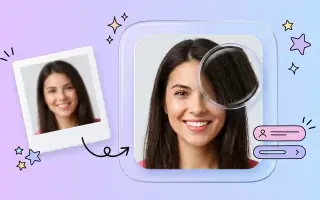
Before and after enhancing a photo with AI

How to enhance photo quality in 4 steps

  1. 1

    Upload Your Image

    Drag and drop your image or click to upload. Our photo quality enhancer supports PNG, JPEG, WEBP formats up to 5MB.

  2. 2

    Select Enhancement Options

    Choose the type of enhancement you need - unblur photos online, upscale image resolution, or denoise image for better quality.

  3. 3

    AI Photo Enhancement

    Our advanced AI algorithms perform image restoration and photo clarification while preserving natural details.

  4. 4

    Download Enhanced Result

    Download your enhanced image with improved resolution enhancement. Compare the before and after results with our interactive slider.

Every AI image enhancer tool in one place

Twenty-three AI tools for enhancing, restoring, removing and generating images. Each one takes a few seconds and needs no editing skill.

What EnhanceIT PRO can do

Rescue low-quality photos — free to try, no install, all in your browser.

Fix fuzzy pictures & improve clarity instantly

Upload a blurry photo — the AI sharpens it in seconds for any camera or phone.

7 specialized AI models in one tool

Enhancer, Sharpener, Face Restore, Restoration, Text Clarity, 8K Upscaler.

Upscale 2x to 8x — high resolution output

2x for social media, 4x–8x for large-format printing and high-resolution displays.

Download without a watermark

Every result is clean — no logos on your images.

Works on iPhone, Android, Mac & Windows

Runs in any browser — no installation needed.

One-click AI, no manual tweaks

The AI auto-picks optimal settings for your image.

Results in under 30 seconds

Fast processing with live progress status.

Your photos are private & auto-deleted

Images purged safely from memory after processing.

JPEG, PNG, WEBP — up to 20 MB

Upload from any camera or smartphone source.

Millions of photos enhanced

Trusted by photographers, designers & sellers.

Free credits on signup

Get started immediately with zero commitment.

Pro quality output

Results comparable to premium desktop software.

Common photo problems, and which tool fixes them

What people most often arrive here trying to do, and the shortest route to each.

How to enhance photo quality

Upload and click once. The enhancer removes noise, repairs compression damage, recovers edge definition and corrects flat colour in a single pass — doing them together works better than in sequence, because each correction depends on what the others found.

Enhance a photo free →

How to improve image quality online free

Nothing to install and no card required. Free accounts get three credits, which is enough to run several tools and judge the output before paying anything. Results are watermarked on the free tier; the underlying quality is identical.

See what free includes →

How to unblur a picture

Slight softness from camera shake or a missed focus comes back well, because the detail is smeared rather than gone. A photo where the focus missed entirely has nothing to recover. Use the sharpener when blur is the only problem — it leaves colour and noise untouched.

Unblur a photo →

How to increase image resolution

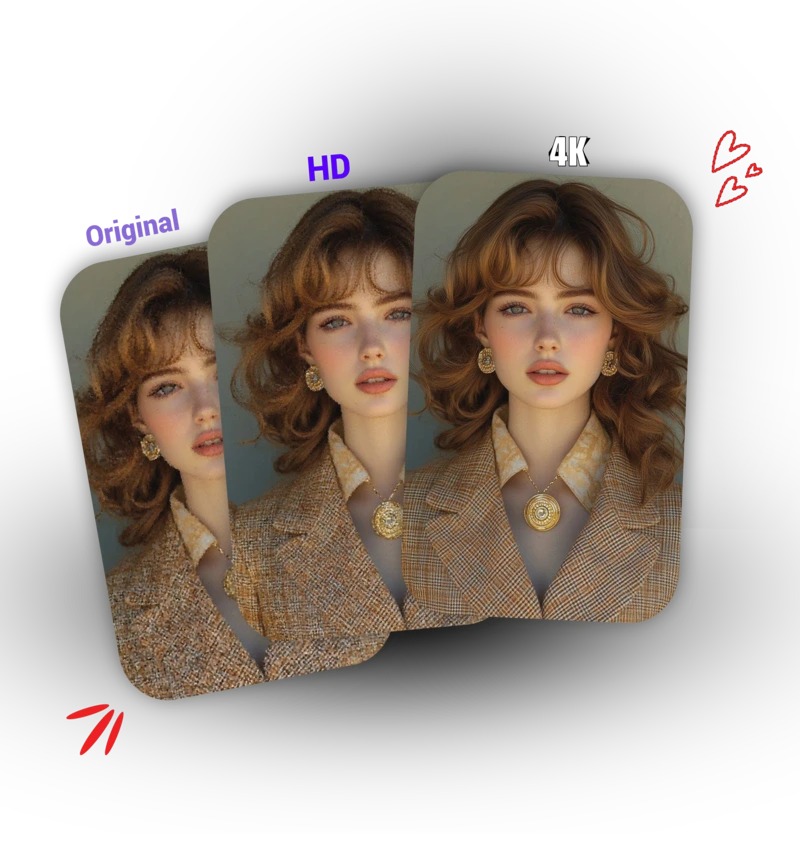
Resizing interpolates and leaves the photo soft. Upscaling reconstructs detail from a model trained on millions of real images, so fabric weave and foliage come back as texture. 2x is safe on any subject; 4x holds up on texture-heavy work.

Upscale to 4K or 8K →

How to fix a pixelated photo

Pixelation is what you get when a small image has been stretched. The fix is not more sharpening — it is reconstructing the pixels that were never there, which is what the upscaler does. Start from the largest original you have.

Fix pixelation →

How to enhance a face in a photo

Faces need a model trained on faces. General sharpening turns a soft eye into a dark blob with a halo; a facial-prior model rebuilds the eye as an eye. Crop close to the face first — it works from the pixels it is given.

Enhance a face →

How to restore an old photograph

Scan at 600 DPI or higher, including the white border — the undamaged edge tells the model what the paper tone should be. Restore first, then upscale, so you are not enlarging the damage along with everything else.

Restore an old photo →

How to convert a photo to 8K

Upscale in stages rather than asking for 8K from a thumbnail. A 2000px source reaches 8K convincingly; a 400px source reaches 8K in pixel count and not in detail. Check text and faces at full size before you use the result.

Upscale to 8K →

Drag to see the difference

The same photo, before and after a single click. Move the handle.

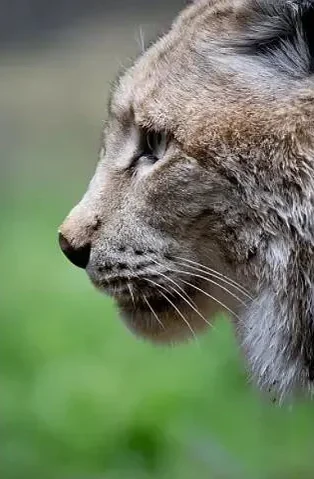
The same photograph after AI enhancement, with sharp fur detail
  • Fur, not mush

    The original loses every individual hair to compression. Look at the ruff and the ear tufts — the model rebuilds strand direction rather than sharpening edges.

  • The eye stays an eye

    Naive sharpening turns a blurred pupil into a dark blob with a halo. Here the iris keeps its gradient and the catchlight survives.

  • Nothing invented

    The whiskers, the nose leather and the background all sit where they started. Enhancement recovers detail that compression threw away; it does not paint in a different animal.

AI image enhancer results gallery

Real examples of the tools in action — from blurry to brilliant.

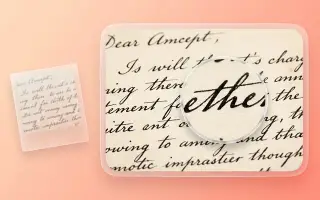
Photo Enhancer To Fix Blurry Images

Got a blurry photo? Our AI photo enhancer fixes it instantly! This image enhancer free tool automatically detects blur and sharpens images. Perfect photo enhancer online for photos taken with shaky hands, in low light, or out of focus shots.

Image Enhancer →
AI photo enhancer showing before and after unblurred image comparison

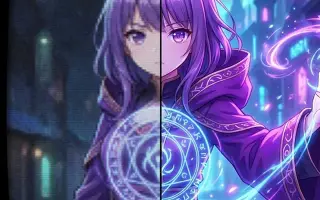
8K Image Upscaler - Enhance Image to Ultra HD

Need to make small images bigger? Our 8K image upscaler and AI enhance image technology makes photos larger without pixelation. Upscale to 2K, 4K, or 8K resolution with our advanced picture enhancer. Perfect quality enhancer for printing, presentations, and professional use.

Image Upscaler →
AI image upscaler demonstrating resolution enhancement from low quality to 4K

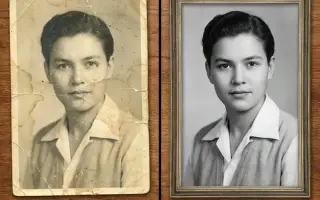
Photo Restoration - Photo Enhancer for Damaged Images

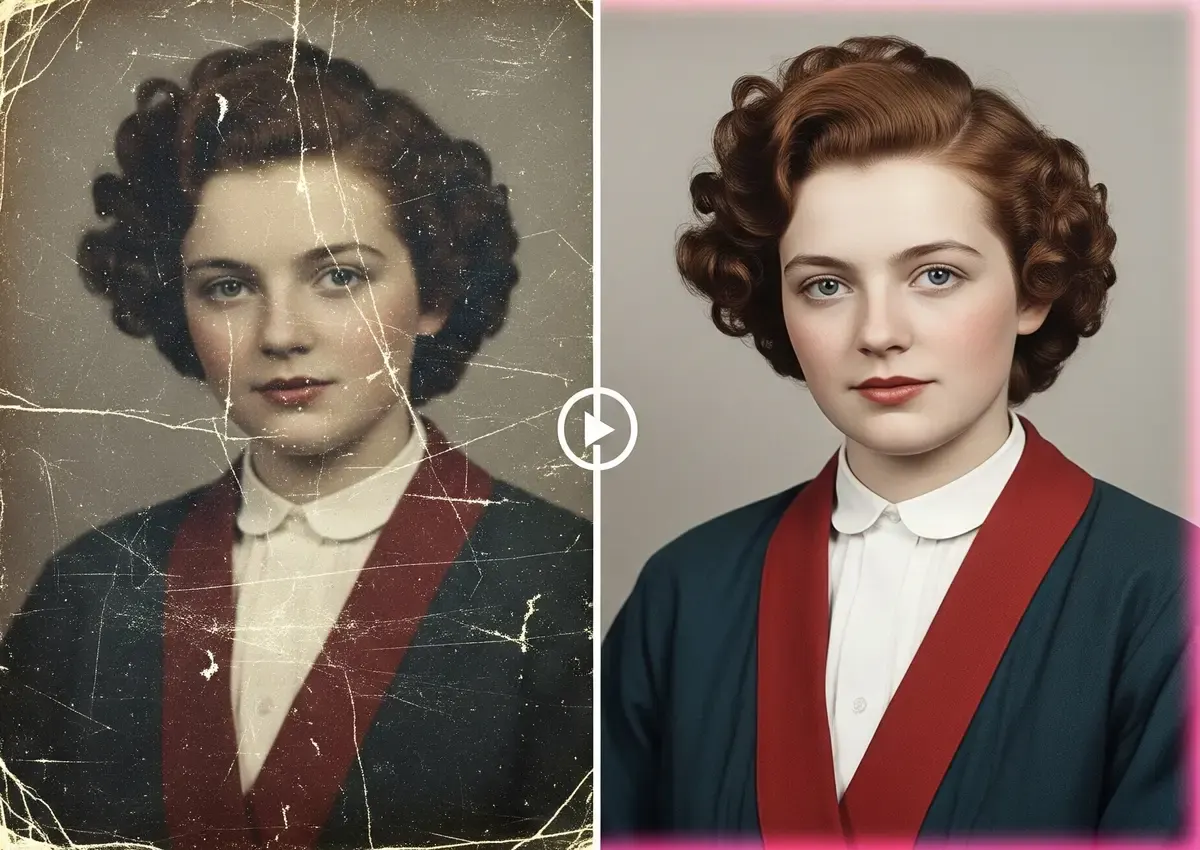
Bring old, damaged, or faded photos back to life with our advanced photo restoration AI. This specialized photo quality enhancer online free tool repairs scratches, removes stains, fixes tears, and restores faded colors. Perfect for preserving family memories, historical photos, and vintage images with professional restoration quality.

Photo Restore →
Photo restoration AI showing dramatic before and after comparison of damaged vintage photograph repair

Why use our AI photo enhancer

Results in seconds

Upload, click once, download. Most enhancements finish in under ten seconds — no queue, no waiting for a render.

No editing skill needed

The AI decides what a photo needs. There are no sliders to learn and nothing to undo if you get it wrong.

Your photos stay yours

Images are deleted automatically after 30 days. We never train on your uploads and never sell them.

Works on any device

Everything runs in the browser. No install, no plugin, and the same tools on a phone as on a desktop.

Photo enhancer pricing

Start with 3 free credits. No card required.

Free

Free

0/day · 3/mo

Try it free

Lite

$8.99/mo

0/day · 60/mo

  • Ad-free
  • No watermark
Try it free
Popular

Standard

$17.99/mo

0/day · 160/mo

  • Ad-free
  • No watermark
  • Priority processing
Try it free

Pro

$34.99/mo

0/day · 380/mo

  • Ad-free
  • No watermark
  • Priority processing
  • Dedicated support
Try it free

4 credit packs from $4.99 · Pricing

What to expect, honestly

Free to try No card required

Where it works best

Old and damaged photographs

Faded colour, scratches, creases and soft scans recover well, because the model is reconstructing detail that compression and age removed rather than inventing something new. This is the strongest use of the whole suite.

Where to check the result

Faces in low-resolution photos

A facial-prior model rebuilds an eye as an eye rather than sharpening it into a blob. On a badly degraded photograph it is producing a plausible face, not a recovered one — compare at full size before you rely on it.

Where to be careful

Text, numbers and documents

A blurred 3 and a blurred 8 look alike, and an upscaler will render one of them confidently. Verify every character against the original before trusting a figure on a receipt, a plate or a form.

Photo enhancer FAQ

How do I fix a blurry photo?

Upload your photo and click Enhance. The AI automatically detects what type of blur is present — motion blur, out-of-focus blur, or compression blur — and applies the right correction. Most blurry photos improve significantly in under 30 seconds. If the result still looks soft, try the Image Sharpener model from the model selector for more aggressive sharpening.

Can I make a small photo bigger without it looking pixelated?

Yes. Select the 8K Upscaler model and choose 2x, 4x, or 8x before clicking Enhance. The AI adds realistic detail rather than stretching pixels, so the result stays sharp. A 1000x800 photo upscaled 4x becomes 4000x3200 — large enough for most print uses.

Is EnhanceIT PRO completely free to use?

The basic enhancement tools are free with no account required. Free users get 2 enhancements per day. Creating a free account gives you additional daily enhancements. Paid plans unlock batch processing, higher daily limits, and priority processing. There are no watermarks on any plan.

What image formats does the tool accept?

You can upload JPEG, JPG, PNG, and WEBP files up to 5MB. iPhone HEIC photos are automatically converted to JPEG before processing. RAW files (CR2, NEF, ARW) are not currently supported; export to JPEG from your camera app first.

Can it remove grain and noise from old photos?

Yes — select the Standard Enhancement or Photo Restoration model. Standard works best for modern digital photos with noise from high ISO settings. Photo Restoration is purpose-built for old film photos, scanned prints, and images with dust or fading.

Will the enhanced photo be good enough to print?

For standard print sizes (4x6, 5x7), most enhanced photos work well. For larger prints (8x10, 12x16), use the 4x or 8x upscaler first to increase the pixel count before printing.

How long does enhancement take?

Standard Enhancement and Image Sharpener typically take 10–30 seconds. Photo Restoration and 8x upscaling can take 45–90 seconds. A progress bar shows the current stage so you always know where it is.

Are my photos stored or shared after processing?

No. Your photo is uploaded securely over HTTPS, processed immediately, and then permanently deleted from the server as soon as you download the result. We never store enhanced images beyond the active session, and we do not use your photos for AI training or share them with any third parties.

What if I'm not happy with the result?

Try a different AI model — the Image Sharpener, Standard Enhancement, and Face Restore models produce noticeably different results on the same photo. If the enhancement overcorrects, turn off the Face Enhancement toggle in the model selector before processing and try again.

Photo enhancement guides

Read all articles →

Browse guides by topic

Seventy-five guides and comparisons, grouped by what you are trying to do.