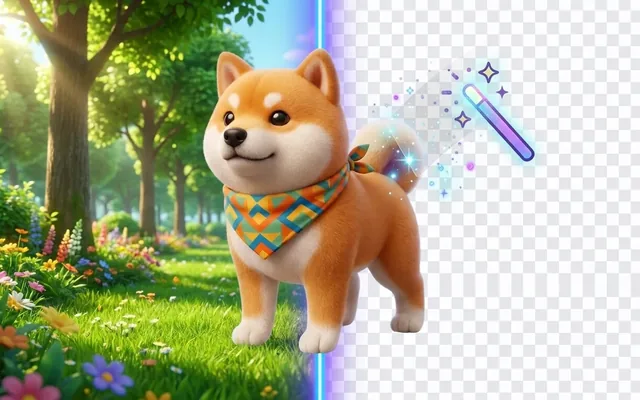
Remove Background Online Free
Create transparent PNG images instantly with our free background remover tool. No watermarks.
Remove Background from Image Online Free
Create transparent PNG images instantly with our free background remover tool. No watermarks, no registration, perfect for products, portraits, and design projects.
Our service is free! Please support us to keep it that way.
Buy us a coffeeOur AI Tools
Explore our suite of AI-powered tools for photo enhancement, restoration, colorization, and object removal.
Photo Enhancer
Transform low-resolution images into stunning high-definition photos. Our AI upscales images up to 4x while preserving fine details, textures, and sharpness for professional-quality results.
Photo Restoration
Breathe new life into damaged vintage photos. Automatically repair scratches, tears, fading, and discoloration while reconstructing missing parts with intelligent AI algorithms.
Anime Enhancer
Specifically designed for anime and cartoon artwork. Enhances line art clarity, color vibrancy, and character details while maintaining the authentic artistic style and aesthetic.
Image Colorizer
Bring historical black and white photos to life with realistic colors. Our AI analyzes context, lighting, and objects to apply natural, historically accurate colorization.
Remove Background from Image Online
Our background remover tool comes with everything you need to create perfect transparent images
AI Background Remover
Advanced AI technology for precise and instant background removal
Transparent PNG Maker
Create clean PNG files with transparent backgrounds for any project
Free Background Eraser
Remove backgrounds from images at no cost, with no watermarks
White Background Converter
Add clean white backgrounds perfect for e-commerce product photos
Cutout Photo Online
Precisely cut out subjects from any photo with perfect edge detection
Erase Image Background
Automatically remove any background from your photos in seconds
Just picture it

Original

Transparent background

New background


Endless possibilities
Showing people examples • Click any category above to explore different use cases
How to Remove Backgrounds
Our easy-to-use background remover requires no technical skills. Just follow these simple steps for perfect results every time.
Upload Your Image
Upload any photo you want to remove the background from. Our AI works with people, products, animals, and objects.
AI Removes Background
Our advanced AI automatically detects and removes the background, creating a clean separation with precise edge detection.
Choose Background
Keep it transparent, add solid colors, or upload your own custom background. Choose from our library of templates.
Download Result
Download your edited image in high quality, ready to use for your website, social media, or design projects.
Pro Tip
For best results, use images with clear subjects and good lighting. Our AI performs exceptionally well with portraits, product photos, and images with distinct foreground elements.
Our Trusted Partners


What Our Users Say
Join thousands of satisfied users who have transformed their images with our AI enhancement tool
"The AI enhancement is incredible! It brings out details I didn't even know were in my photos. A game-changer for my photography business."

Professional Photographer
"I've tried many AI enhancement tools, but this one stands out. The results are natural and the interface is intuitive. Highly recommended!"

Digital Artist
"Perfect for our product photos. The batch processing saves us hours of work, and the enhanced images have significantly improved our conversion rates."

E-commerce Manager
Latest from Our Blog
Loading latest posts...
Frequently Asked Questions
Find answers to common questions about our background removal tool. If you need more help, feel free to contact our support team.
To remove background from an image online, simply upload your photo to our AI background remover tool, wait a few seconds for automatic processing, and download your transparent PNG image. No registration or Photoshop skills required.
Yes, our background remover automatically creates a transparent background (PNG format) that you can download directly. This is perfect for logos, product photos, or any design where you need a transparent PNG maker functionality.
Absolutely! You can upload your own custom background image after removing the original background. We also provide options for solid colors, gradients, and a library of pre-designed background templates for your cutout photo.
Yes, our basic AI background remover is completely free to use with no watermarks. You can remove backgrounds from several images per day at no cost. For higher volume needs or additional premium features, we offer affordable subscription plans.
Our background cleanup tool supports JPEG, PNG, and WEBP image formats for upload. After processing, you can download your images with removed backgrounds as transparent PNG files or JPG files with your chosen background.
Our AI-powered automatic background remover delivers professional-grade results with exceptional edge detection. It's particularly good at handling complex details like hair, fur, and transparent objects. For most images, the results are comparable to professional manual editing.
Yes, our tool is perfect for e-commerce and product photography. After removing the original background, you can add a clean white background with just one click, making it an ideal white background converter for professional product listings.
Yes, you retain all rights to your original images and the processed results. Images processed with our remove background from photo app can be used for both personal and commercial purposes, including websites, social media, online stores, and print materials.
Stay Updated
Subscribe to our newsletter for the latest updates and exclusive offers