
Turn Your Photo Into Anime
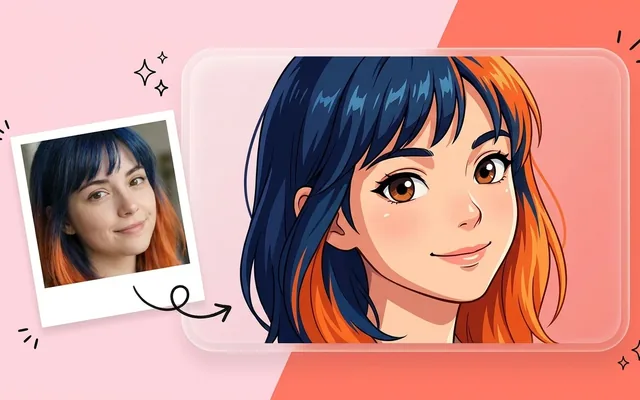
Turn any photo into anime art with AI. Upload a portrait and get a clean anime-style illustration in seconds. Free to try, no drawing skills required.
What people use it for
Profile pictures
The most common use by a wide margin — a recognisable avatar for social and gaming.
Character reference
Turning a real face into a consistent anime character for a story, a game or a tabletop campaign.
Gifts and prints
A portrait of a couple, a family or a pet in a style they would not otherwise be drawn in.
Stream and channel art
Consistent stylised versions of yourself for overlays, banners and emotes.
Getting the best result
- Use a clear, well-lit, front-facing portrait. Anything at a hard angle or in low light loses the likeness first.
- Crop close. A full-body photo gives the face too few pixels to work from and the resemblance goes.
- One face per photo. Group shots split the model's attention and every face gets worse.
- Generate several. Small variations in how the model reads a face produce noticeably different results, and the third is often the best.
You might also like
Frequently asked questions
Will it still look like me?
Broadly, yes — bone structure, hair and expression carry over. The style itself flattens individual features by design, so it is a recognisable version rather than a portrait.
What kind of photo works best?
Even front lighting, face filling much of the frame, eyes open and visible, no sunglasses. Sharpness matters less than lighting.
Can I choose the anime style?
Yes — the tool offers several, from modern digital cel-shading to softer painted looks. They differ most in line weight and how much shading the faces get.