
Make Blurry Text Readable
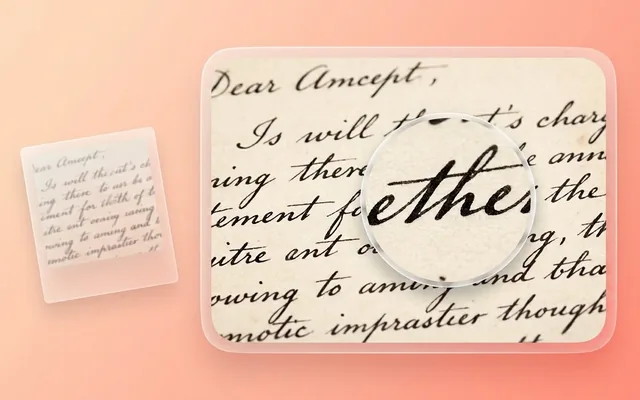
Unblur blurred text in images and screenshots. Deblur text in photos and receipts online free with AI text enhancer. Restore readable letters in seconds.
What people use it for
Document photos
A contract or form photographed rather than scanned, at an angle, in room light.
Whiteboard captures
Meeting notes photographed from across a room, where the handwriting has gone to grey smudge.
Receipts and invoices
Thermal paper fades, and a faded receipt photographed on a phone is barely legible before processing.
Screenshots
Text in a screenshot that has been resized, re-screenshotted or sent through a chat app.
Getting the best result
- Photograph square-on. Perspective distortion is not corrected here and it hurts legibility more than softness does.
- Use the most even light you can. A shadow across half the page defeats any amount of enhancement.
- Higher resolution beats better lighting. Move closer or photograph in sections rather than fitting the whole page in one soft frame.
- Always check the result against the original before relying on a number. This is the one category where a confident wrong character matters.
You might also like
Frequently asked questions
Can it read text that is completely illegible?
No. It recovers detail that is present but degraded. If a human squinting at the original cannot tell a 3 from an 8, neither can this — and the risk is that it renders one of them crisply and convincingly.
Does it work with handwriting?
Yes, and it is one of the more useful cases. Clear cursive and print both improve. Very cramped or heavily stylised handwriting is harder, because the model has less structure to reason from.
Will it correct spelling or reflow the text?
No. It is an image tool — it makes the existing pixels clearer. It does not read, transcribe or edit the content.