
AI Photo Enhancer
Not a filter. The AI reconstructs the detail your camera missed — faces, fabric, edges — and shows you a before/after you can slide.

“Enhance” used to mean sliders: sharpness up, noise down, saturation up, and hope the trade-offs balance. An AI enhancer is a different mechanism entirely — a model that has learned what real photographs look like and uses that knowledge to reconstruct yours.
That difference is most visible on faces. A sharpening filter makes a blurry face crunchier; the AI makes it a face again, recovering eyes, hair strands and skin texture the sensor recorded too weakly to see.
Where AI enhancement wins
Faces at a distance
Group photos and crowd shots where each face is a hundred pixels — reconstruction works where sharpening only adds halos.
Zoomed crops
The part of the photo you actually wanted, cut out and rebuilt at usable quality.
Motion blur
Kids, pets and sports — the model separates subject from smear better than any deconvolution slider.
Scanned prints
Paper-era photos brought to digital sharpness while keeping the character of the original.
Three things worth knowing
- AI enhancement is one credit per run — experiment on the version of the photo that matters most.
- The before/after slider is the honest test: drag it across the face, not the background.
- Chain tools when needed: enhance for quality, then upscale for size, then sharpen if the use is print.
All tools
 HOT
HOT
Image Enhancer
Instantly improve image quality.
1 credits · Free 4K
4K
Image Upscaler
Upscale images up to 4K resolution.
1 credits · Free
Image Sharpener
Fix blurry and out-of-focus photos.
1 credits · Free
Text Clarifier
Make blurry text in photos and scans readable.
7 credits · Free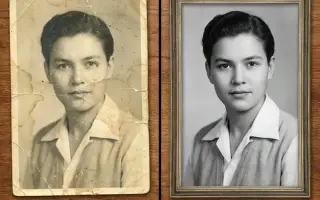
Photo Restore
Repair tears, creases, stains and fading in old photos.
2 credits · Free
AI Face Enhancer
Sharpen and restore faces in blurry or low-resolution photos.
1 credits · Free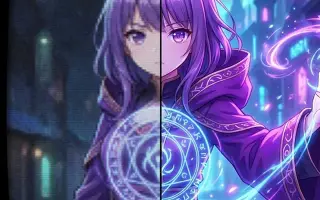
AI Anime Enhancer
Enhance and upscale anime images.
1 credits · Free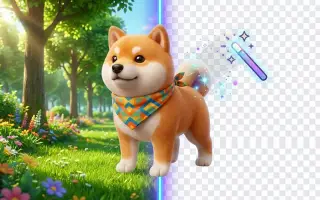 HOT
HOT
Background Remover
Remove backgrounds automatically.
1 credits · FreeFrequently asked questions
What does the AI actually do to my photo?
It runs your image through a neural network trained on millions of sharp/degraded photo pairs. The network predicts what the degraded regions looked like before the blur or noise — real reconstruction, which is why results beat sharpening filters.
How long does one enhancement take?
Usually 10–25 seconds depending on image size. You watch the progress live and get a side-by-side comparison slider when it finishes.
Is my photo used to train anything?
No. Uploads are processed for your result and stored only in your private history, which you can clear at any time. Nothing is used for training or shared.
What file types and sizes work?
JPG, PNG and WebP up to 25 MB. Very large files are processed at full resolution — you never get a downsized result back.