
Photo Enhancer vs Upscaler: Which One Does Your Photo Actually Need?
They sound like the same thing and they solve different problems. How to tell which one your photo needs, why the order matters, and what happens when you get it backwards.
 EnhanceIT
PRO
EnhanceIT
PRO
📚 Complete Guide: The Complete Guide to AI Photo Enhancement in 2026
Have you ever captured a lovely image that becomes pixelated, and you wish that it become clear magically? It is a common question asked by everyone is it possible to enhance a pixelated image?
Nowadays it is possible due to Photoshop and AI tools. Offensive resizing or reduction makes your image glance pixelated. To solve this problem, we have developed a guide for enhancing pixelated images with and without Photoshop.
Try it yourself!
Use our free AI Image Enhancer tool – no signup required.
[
Try AI Image Enhancer Free →
](https://enhanceit.pro/)
An image is made of pixels or dots. When you increase your image size, the pixels also get blurred and look like dark, blurry squares. These squares increase as the image size increases. Doing this makes your image pixelated.
How to avoid it
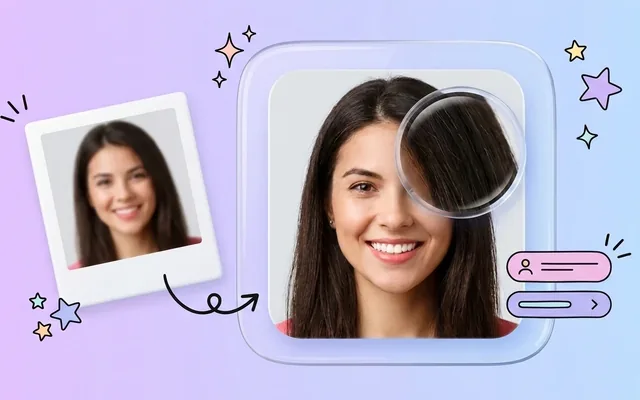
The best way to avoid it is to have the original image and if not possible, you can try free online tools to enhance a pixelated image.
Some types of images can be Depixelated easily, and those are the following:
There is a quick list by following it, and you can easily de-pixelate your image:
Adobe Photoshop includes powerful AI features that enhance your image automatically. You just have to use Photoshop’s large image feature, and its AI auto-enhances your image. By doing this, you will see a de-pixelated image in the results.
Adobe Photoshop also allows you to sharpen your image in both camera raw and software. Increase the sharp rate according to your image.
After doing those 2 steps, if the results aren’t as you want, try using Gaussian blur to make your image soft and de-pixelated.
Use Photoshop’s Soft light Blending tool to make your image soft. User exposure and contrast for in-image changes and light, shadow to mask.
The only way to fix a pixelated image without using Photoshop is to Online AI tools. Such software just softens your image and doesn’t have any impact on the edges. They just make the image a little sharp and smooth.
Also Read: Best Software for RAW Photo Editing: Comprehensive Guide
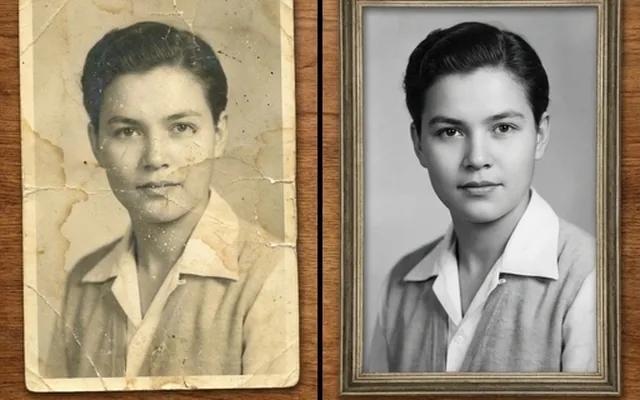
On the other hand, online tools enhance your images with AI technology, make your black-and-white image quality clear and enhance your pixelated image in depth.
Here is a list of the best tools that use AI technology to enhance your pixelated image:
EnhanceIT PRO allows you to enhance your images in simple ways. It offers you multiple features which you can’t find on any other AI tool. It enhances your image accurately using its AI technology.
Features Of EnhanceIT PRO
And many more tools are waiting for your visit.
YouCam Perfect is even an AI tool and APP that is obtainable on Android and iOS. It even enhances your image with a couple of features, some of which are the following:
Cutout Pro is a free online image-enhancing and depolarizer tool that comes with a wide range of features.
These features make it comfortable for users to improve their image online with easy steps.
Pixeiled is an outstanding image depolarizer. Its easy-to-navigate interface makes it easy to use for users. They also offer many features, from making a blurry image clear to making an image enhanced. Some of its features are the following:
Picwish is a top pick for those who like to enhance their portrait photo. With its easy-to-navigate user interface and stunning AI features it makes your blurry and pixelated portraits clear. Some of Picwish’s key features are the following:
Vance AI is the go-to image enhancer and de-pixelizer. It sharpens your images and makes every edge quilted and beautiful. No matter if your images are blurry, old, or pixelated, Vance AI makes them clear and sharp with its AI technology. Key features of Vance AI are the following:
No matter in which format and quality your image is. If it is taken from any iPhone or Android, you can enhance it using the EnhanceIT PRO online Photo Enhancer tool. You just have to follow the steps:
If you have a nice computer or laptop that can support Photoshop, then you can use it to enhance your images. If not, don’t worry. You can use the online depolarizer tools, and EnhanceIT PRO’s AI tools are one of the best tools I ever used.
Give it a try, and I’m sure you will love it. The reason behind it is they offer you a wide range of features like photo enhancement, anime image enhancement, old image restoration, and many more features, so just visit it.
Is it Possible to enhance pixelated images online?
Yes, you can enhance your images online using the following tools:
How can I make a pixelated picture clear?
You can use Photoshop or online tools to de-pixel your images.
Can you Un pixelate a pixelated image?
Yes, our EnhanceIT PRO tool enhances your images in easy steps and makes them clear and sharper.
How do I fix pixelated resolution?
You have two ways to fix it. The first one is to use Photoshop, and the second one is to use online tools.
📖 More in Photo Enhancement & Quality
They sound like the same thing and they solve different problems. How to tell which one your photo needs, why the order matters, and what happens when you get it backwards.
Remini popularised AI photo restoration and then put most of it behind a subscription. Seven alternatives compared on what they actually do well, what they charge, and where each one falls down.
Resizing and upscaling are not the same thing. What actually happens when you enlarge a photo, how far you can push it honestly, and where AI reconstruction stops being recovery and starts being invention.
What 'HD' actually means in pixels, how far a low-resolution photo can honestly be pushed, and the free route from a small blurry picture to something you can print or publish.