Photo Enhancer vs Upscaler: Which One Does Your Photo Actually Need?
They sound like the same thing and they solve different problems. How to tell which one your photo needs, why the order matters, and what happens when you get it backwards.
 EnhanceIT
PRO
EnhanceIT
PRO
📚 Complete Guide: The Complete Guide to AI Photo Enhancement in 2026
Every photographer has faced the same frustrating problem: a photo that looked stunning in real life appears dull, flat, or lifeless on screen. Whether it’s a smartphone snapshot, a vacation memory, or professional work, colors play a crucial role in how images are perceived. Fortunately, photo color enhancement techniques—from manual adjustments to cutting-edge AI tools—can transform lackluster images into vibrant, eye-catching works of art.
In this guide, we’ll explore the reasons colors sometimes fall short, the difference between natural and stylized enhancement, and modern methods, including AI photo enhancer solutions like Leawo Photo Enhancer. You’ll also discover practical tips on how to enhance a photo without making it look artificial.
Try it yourself! Use our free AI Image Enhancer tool – no signup required.
Before diving into how to enhance a photo, it’s important to understand why images sometimes appear muted or unnatural. Several technical and environmental factors can contribute to lackluster colors.
White balance determines how colors are interpreted by your camera sensor. If the white balance is off, images can appear overly warm, cool, or even greenish. For example, indoor photos under incandescent lighting often look yellow, while cloudy outdoor shots can feel blue and cold.
Adjusting color temperature in post-processing is often the first step in any photo color editor, as it sets the foundation for accurate color reproduction.
Lighting is the soul of photography. Flat, diffuse lighting—like that from an overcast sky or a dimly lit room—reduces contrast and flattens colors. Even well-composed images can appear uninspiring if there’s little tonal variation. Low color depth in older or compressed images further limits the range of colors that can be displayed, resulting in washed-out results.
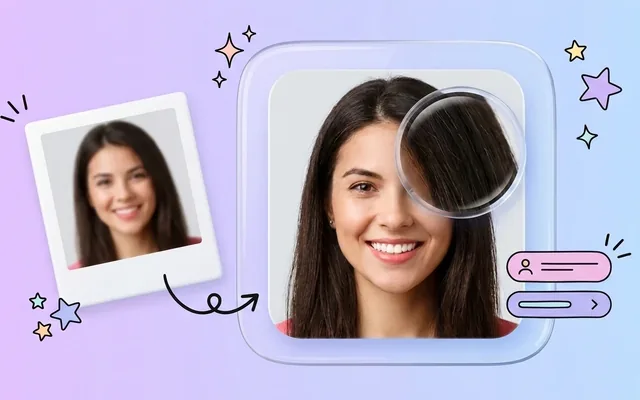
JPEG compression is a double-edged sword. While it reduces file sizes, excessive compression discards subtle color details. Low-quality images or screenshots often suffer from banding, muted hues, and loss of vibrancy. In such cases, simple color adjustments may not be enough; specialized AI photo colorizer or AI photo enhancer tools can reconstruct missing detail intelligently.
When enhancing photos, a critical decision is whether to focus on color accuracy or stylistic flair.
Many modern AI photo editors allow switching between these modes, letting users preserve realism or experiment with creative enhancements.
Traditional photo editing software—like Adobe Lightroom or Photoshop—offers manual control over exposure, curves, saturation, hue, and white balance. Learning these techniques is still valuable because:
However, manual editing can be time-consuming, especially for large batches of photos. This is where AI tools have become game-changers, streamlining enhancement workflows.
Artificial intelligence has revolutionized the way we approach color enhancement. AI-powered solutions analyze images, detect areas with poor lighting or muted colors, and apply intelligent corrections that would take much longer manually.
AI photo enhancer tools automatically optimize white balance, contrast, saturation, and vibrancy, often restoring details lost to compression. Some advanced platforms also enhance photo color selectively, improving skies, skin tones, or foliage without affecting other areas.
Leawo Photo Enhancer is a notable example. It leverages AI to analyze image content and applies precise enhancements, delivering vibrant colors while retaining natural textures. Users can restore old photos, improve underexposed shots, or simply elevate everyday pictures in seconds.
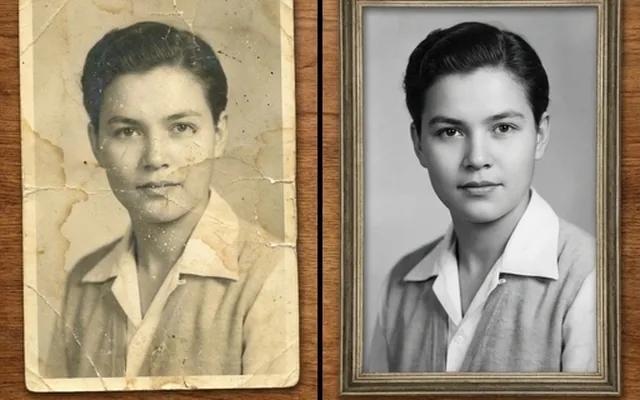
Similarly, AI-powered photo color editors and AI photo colorizer apps can revive black-and-white or faded images, adding realistic color with minimal input from the user. The combination of automation and intelligence makes AI tools essential for both casual photographers and professionals looking for efficient workflows.
Overdone edits can make images appear cartoonish or unnatural. Here are some strategies for maintaining authenticity while boosting vibrancy:
Using these approaches, you can enhance photo color in a way that looks professional, vibrant, and natural.
Photo color enhancement has come a long way. What was once a painstaking manual process can now be achieved with the help of AI-powered AI photo enhancer and AI photo editor tools. Understanding why photos appear flat—whether due to poor white balance, low lighting, or compression—is the first step in revitalizing your images.
Choosing between natural and stylized color enhancement depends on your goal, while manual editing remains valuable for precision and control. For fast, high-quality improvements, solutions like Leawo Photo Enhancer can intelligently boost colors, restore faded images, and bring vibrancy to any photo.
Whether you’re a casual photographer aiming to brighten holiday memories or a professional looking to perfect portfolio shots, knowing how to enhance a photo effectively ensures your images go from flat to truly captivating.
📖 More in Photo Enhancement & Quality
They sound like the same thing and they solve different problems. How to tell which one your photo needs, why the order matters, and what happens when you get it backwards.
Remini popularised AI photo restoration and then put most of it behind a subscription. Seven alternatives compared on what they actually do well, what they charge, and where each one falls down.
Resizing and upscaling are not the same thing. What actually happens when you enlarge a photo, how far you can push it honestly, and where AI reconstruction stops being recovery and starts being invention.
What 'HD' actually means in pixels, how far a low-resolution photo can honestly be pushed, and the free route from a small blurry picture to something you can print or publish.