

Photo Enhancer vs Upscaler: Which One Does Your Photo Actually Need?
They sound like the same thing and they solve different problems. How to tell which one your photo needs, why the order matters, and what happens when you get it backwards.
 EnhanceIT
PRO
EnhanceIT
PRO
📚 Complete Guide: The Complete Guide to AI Photo Enhancement in 2026
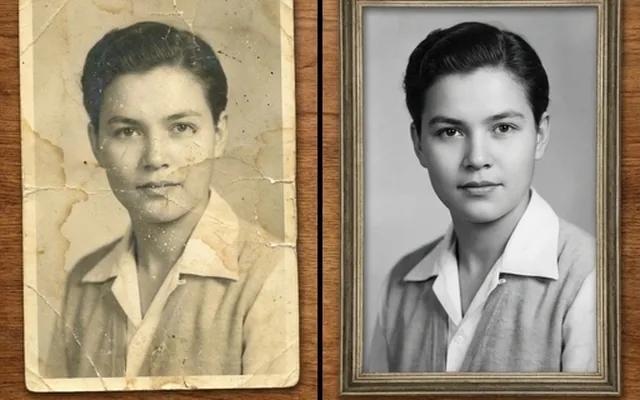
Have you ever faced a pixelation issue? Sometimes, our old but rememberable picture becomes pixelated and blurry, which smashes the emotions with it, too. We want to recover it and like the resolution to match the latest cameras.
For this purpose, we have a guide where you learn how to enhance photo quality in GIMP. It is a great software used to enhance old and blurry images. For those who don’t like to use software, we have an alternative online tool.
Try it yourself!
Use our free AI Image Enhancer tool – no signup required.
[
Try AI Image Enhancer Free →
](https://enhanceit.pro/)
GIMP is a free and powerful web-based photo editing software that comes with a huge number of features. Our favorite feature, like photo upscaling, is also available. You can increase your image size in different dimensions, which GIMP offers to you. It uses different algorithms to fill in the missing information in your image.
To use this feature, ensure that you are using the latest version. To use this feature, follow the instructions:
After the upper process, you can apply the gentle sharpening effect to add more details to your image. You have several tools under the Enhance section to upscale your image. For instance, you can use the sharpening tool to sharpen. To get a high-quality image, use PNG format and avoid JPEG.
If you have complex images and aren’t enhancing with these processes then you can try the Resynthesizer plug-in that is available on their official plug-in repository. To upscale your image with Resynthesizer, follow the guide:
These methods examine the image’s surface and ways to recreate it in the upscale area. Adjust the settings like Search Size and Blend Mode for fine-adjusting the result. You can preview the upscaled picture. Behind that, click the Synthesize button to do your operation.
Use these methods for your different images and upscale them easily.
EnhanceIT PRO is the best alternative. The reasons are that it is free, it uses AI technology, and it is also available online. You don’t need to download it separately, and it offers you many features and much more.
And many more features are waiting for your visit.
How to improve picture quality in GIMP?
There are several techniques to improve image quality with GIMP, but the best one is to use the Resynthesizer plug-in.
How do I make a blurry picture clear in GIMP?
To make your blurry image clear, you can follow the instructions:
How to make an image sharper in GIMP?
To sharpen your image instantly, go to the Sharp tool under Enhance.
Is GIMP high quality?
Yes, they provide you with many free tools to enhance your image and change it from low resolution to high resolution.
📖 More in Photo Enhancement & Quality
They sound like the same thing and they solve different problems. How to tell which one your photo needs, why the order matters, and what happens when you get it backwards.
Remini popularised AI photo restoration and then put most of it behind a subscription. Seven alternatives compared on what they actually do well, what they charge, and where each one falls down.
Resizing and upscaling are not the same thing. What actually happens when you enlarge a photo, how far you can push it honestly, and where AI reconstruction stops being recovery and starts being invention.
What 'HD' actually means in pixels, how far a low-resolution photo can honestly be pushed, and the free route from a small blurry picture to something you can print or publish.