
Photo Enhancer vs Upscaler: Which One Does Your Photo Actually Need?
They sound like the same thing and they solve different problems. How to tell which one your photo needs, why the order matters, and what happens when you get it backwards.
 EnhanceIT
PRO
EnhanceIT
PRO
📚 Complete Guide: The Complete Guide to AI Photo Enhancement in 2026
After wasting hours on a picture you are not confident to post it on social media. In this case, Hitpaw is one of the best options and in this article, we will explain how to use Hitpaw to enhance your images and other alternatives which can be better. Let’s dive into the details!
Try it yourself!
Use our free AI Image Enhancer tool – no signup required.
[
Try AI Image Enhancer Free →
](https://enhanceit.pro/)
Its easy-to-navigate interface makes it easy for users to enhance their pictures. Here’s a guide to enhancing your images:
HitPaw FotorPea visit their Official website and download it from there. When it comes to your PC for the first time, choose AI Enhance.
After successfully installing, and importing images you can do it in two ways, the first one is to drag-and-drop and the second one is to choose directly from software to storage. Moreover, it supports many image formats such as PNG, JPEG, JPG, WEBP, TIFF, etc.
HitPaw has 7 AI models. You can see them after uploading your image. These 7 AI modes are:
There are some noticeable features of Hitpaw. Here is a quick list:
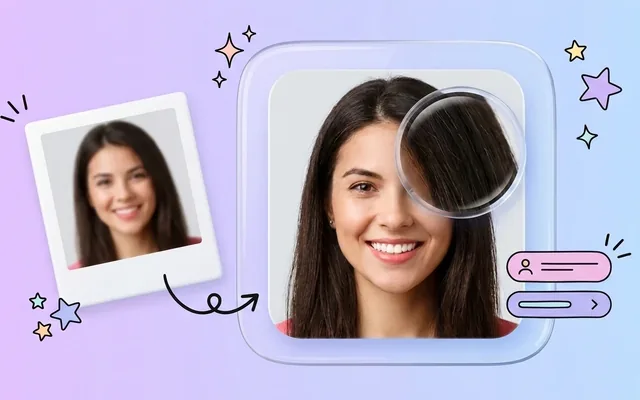
If you have taken a picture and it got blurred and you wish to make it deblur but don’t know how. For this purpose, you don’t need to go anywhere else as Hitpaw offers you this feature. it makes your blurry image clear.
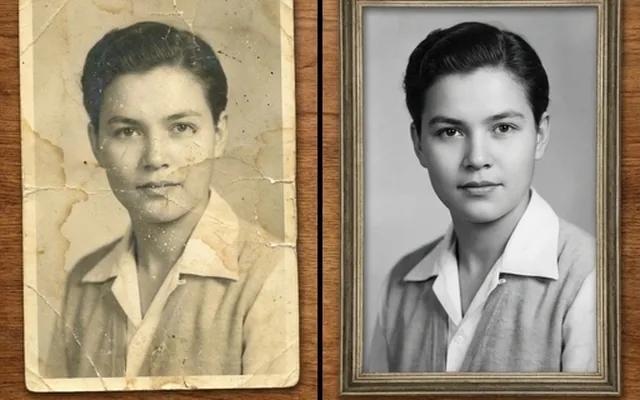
This feature helps you to enhance your old images no matter in which condition they are. Visit their web or app to access this feature.
Sometimes at night, I am in a shady place. Our images look dark and low-light and you can relight it with Hitpaw.
If the image size does not look satisfying you must have to enlarge it. You can also do this within this app.
If you have multiple same-looking images and you want to edit them at the same time. Now you can do this with their Batch Image enhancer. To do this repeat after me:
To do multi-model processing follow the steps:
If you want your image for a specific ratio, you can do this via this app. However, to do so follow the steps:
The best alternative is EnhanceIT PRO. We recommend this because we’ve used it and it has made all adjustments to your images very accurately. As it is an AI tool you don’t need to do anything alone. We offer multiple features some of which are:
And many other tools.
In this article, we have provided you with all the details of Hitpaw’s future including how to use it, features, and alternatives. By following the guide you can enhance your images easily and make them stand out on social media.
What is a HitPaw photo enhancer?
It is a software that can help you to enhance your images easily.
Is the HitPaw photo enhancer worth it?
Yes, indeed it is but if you are not satisfied with this case we provide you with the alternative EnhanceIT PRO.
Is HitPaw software free?
Yes, it is free of cost.
How do I increase picture quality?
By sharpening your image you can enhance it and increase your picture quality.
What is the best alternate solution?
EnhanceIT PRO is the best solution that you can use as an alternative to Hitpaw.
📖 More in Photo Enhancement & Quality
They sound like the same thing and they solve different problems. How to tell which one your photo needs, why the order matters, and what happens when you get it backwards.
Remini popularised AI photo restoration and then put most of it behind a subscription. Seven alternatives compared on what they actually do well, what they charge, and where each one falls down.
Resizing and upscaling are not the same thing. What actually happens when you enlarge a photo, how far you can push it honestly, and where AI reconstruction stops being recovery and starts being invention.
What 'HD' actually means in pixels, how far a low-resolution photo can honestly be pushed, and the free route from a small blurry picture to something you can print or publish.